Albus is in closed betaJoin the list →

Albus

Changelog

What's New

The latest improvements to Albus, in plain language.


  1. Albus is noticeably faster to open and move through

    Your report now opens right away instead of making you wait on a blank screen, and moving through the app after you sign up is quicker and smoother. Pages come up faster and taps respond sooner, so getting to what you came for takes less time.


  2. Your texted notes now come back with a line confirming they were kept

    When you text Albus a feeling or a moment you noticed in your child, the reply now closes with a brief, specific line letting you know it was saved for the next report. The line changes each time so it feels genuine rather than automatic.


  3. Each reflection now includes a research-backed thing to try

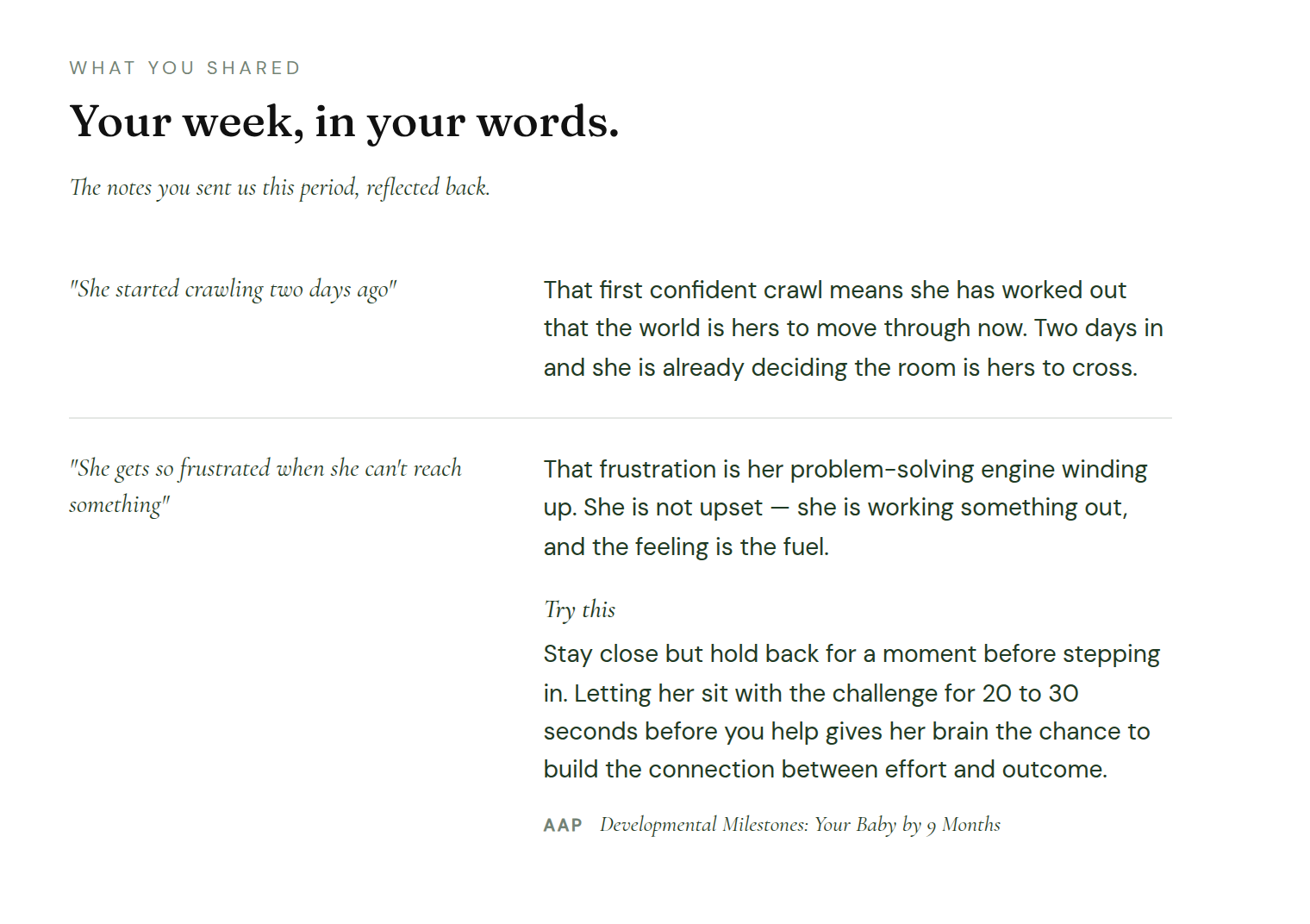
    In the 'What You Shared' section, some reflections now include a 'Try this' below them: a specific action with the research source behind it. Each one only appears when a credible source backs it up, so it is concrete and grounded in something real.

    The 'What You Shared' section of a report showing an observation, a reflection, and below it a 'Try this' label in italic serif with an action text and an AAP citation
    A research-backed suggestion now appears below some reflections.

  4. A few short emails from your last report now arrive between reports

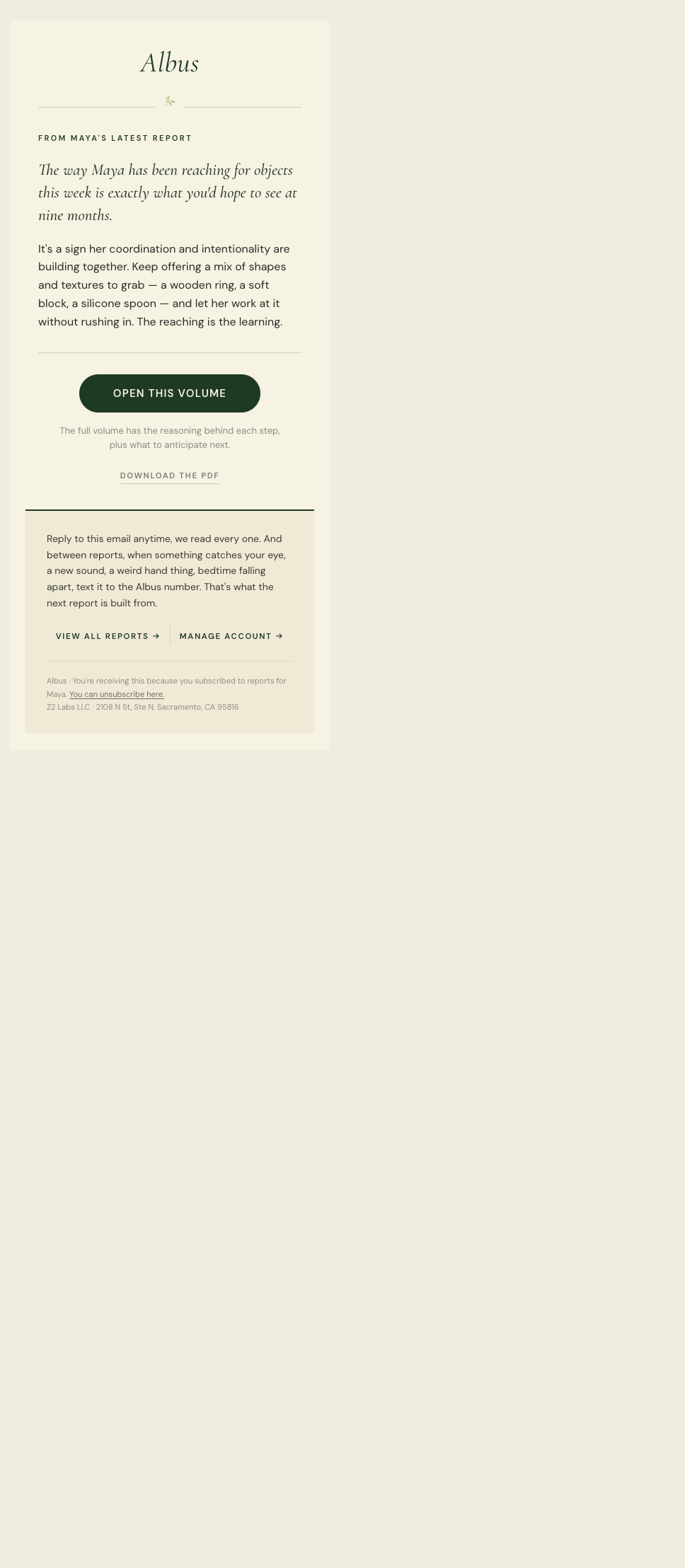
    In the two weeks between reports, you'll now get one or two short emails that bring back a specific item from your last report, timed to land when it's most likely to be useful. Each one is a thing to try or a thing worth knowing, pulled from the report you already received.

    A nudge email from Albus showing an eyebrow reading 'From Maya's latest report', a serif italic lead sentence, and a forest-green 'Open this volume' button
    A short reminder that arrives between reports, bringing back one useful item.

  5. Every Albus email has a cleaner, easier-to-read design

    Every email from Albus, from a new report to reminders and updates, now shares one upgraded design with a clearer layout, a consistent look, and type that is easier to read on any device.

    A redesigned Albus email on mobile: a clean masthead, clear sections, and a single call to action
    One cleaner, more consistent design across every email.

  6. Your report now opens as a page built for your phone

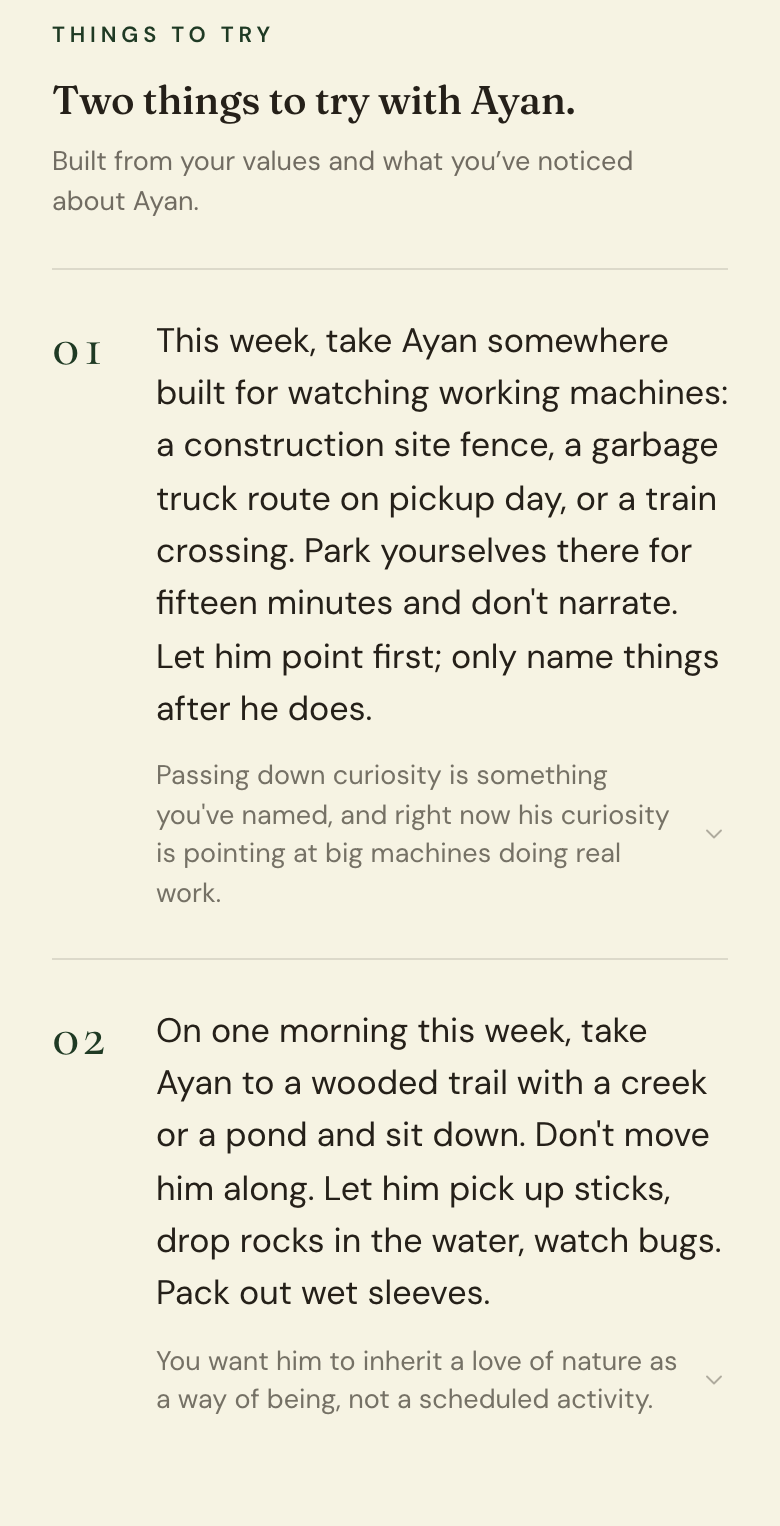
    Your report email now opens a clean, mobile-friendly page instead of a PDF. The things to try, what is worth knowing for this stage, and your own observations are all easy to read one-handed, with quick links at the top to jump between sections. You can still download the PDF whenever you want.

    A report shown as a mobile web page: a masthead recap, then the first guidance section
    Your report, now a page made for your phone.

  7. Downloaded reports now save with your child's name and date

    When you download a report as a PDF, it now saves with your child's name and the date in the filename, so you can find the right file at a glance in your downloads.


  8. Every section of your report now shows its sources, consistently

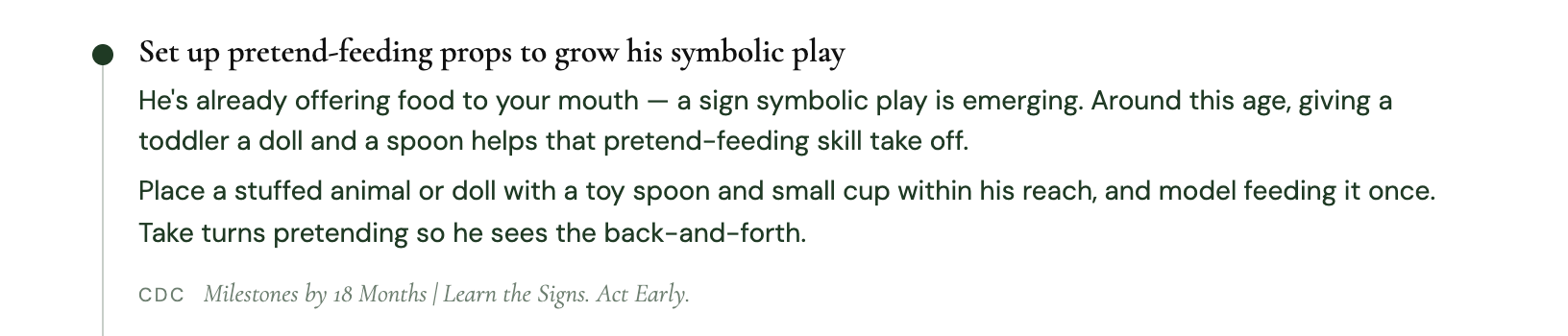
    We have significantly upgraded how Albus cites its guidance. When a piece of content draws on published research, the source name and article title now appear right on the page, presented the same way in every section so you always know where something comes from. The first section also runs each item through a research check against trusted sources before it reaches you.

    A guidance item from a report followed by a source citation showing the source name and article title
    Sources now appear consistently across every section.

  9. Setup is clearer and easier to move through

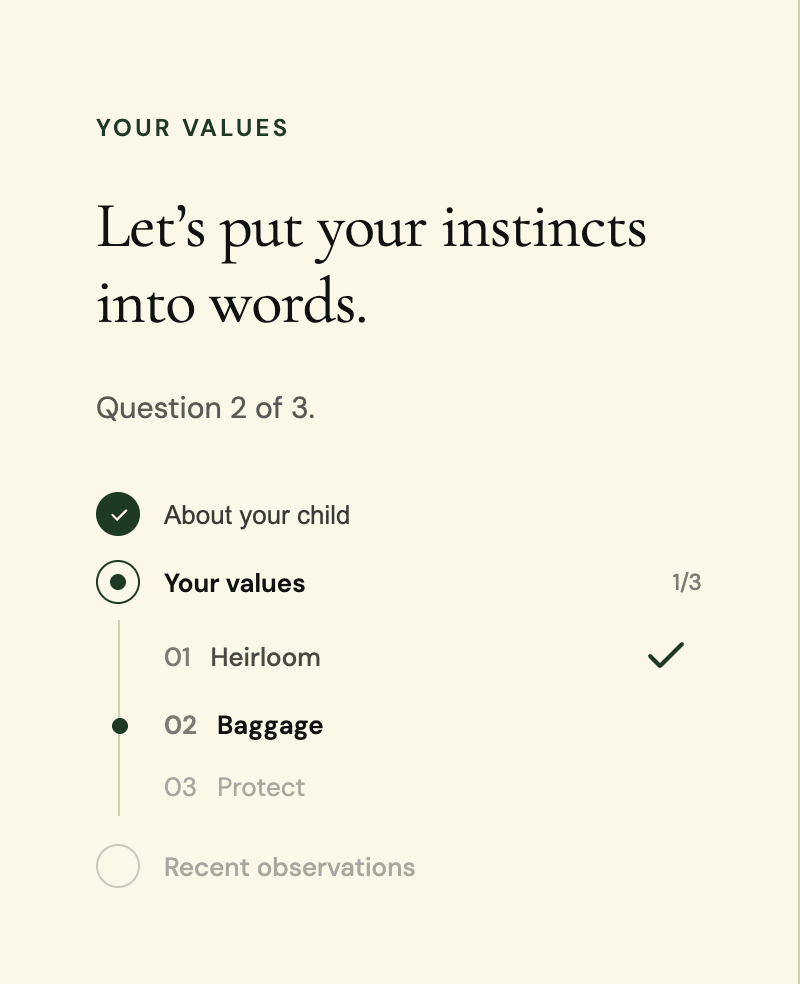
    Setup now has a sidebar that shows your progress and lets you click back to any step you have already completed, so you can review or update your answers without starting over. We also rewrote the setup prompts to be friendlier and easier to answer on the first read.

    The Albus setup sidebar showing a completed step with a checkmark, the current step in progress, and locked upcoming steps
    Jump back to any completed step without losing your answers.

  10. Your report now opens with a map of what is inside

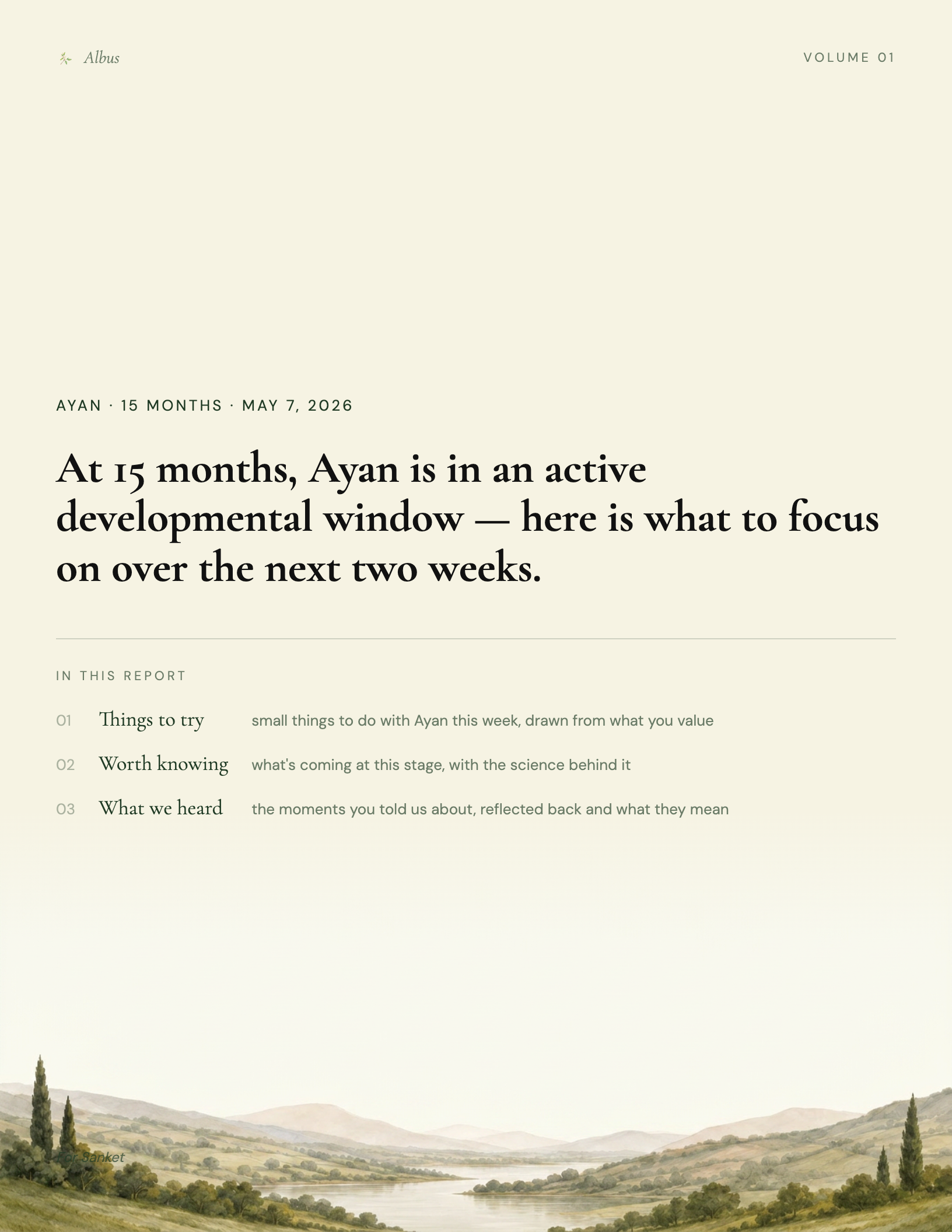
    The first thing you see when you open your report is a short snapshot headline, followed by a quick overview of the three sections and what each one is for. The section headings have also been renamed to match ('Things to Try' and 'What We Heard'), so nothing feels unfamiliar when you get there.

    The cover of an Albus report showing a short snapshot headline and an "In this report" map listing the three sections with one-line descriptions
    The cover now orients you before you read a word.

  11. "What We Heard" now responds to what you actually shared

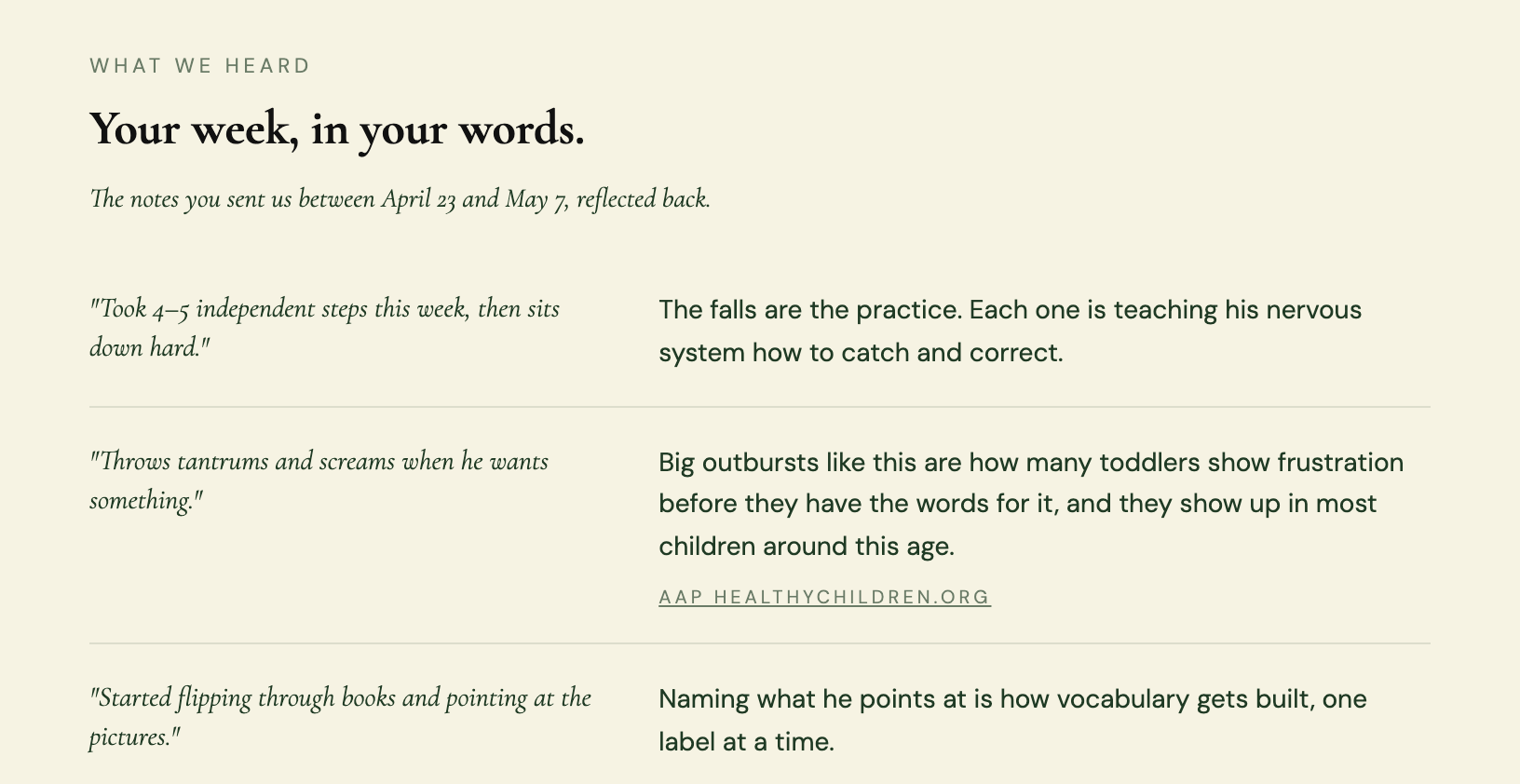
    The third section of your report has been rebuilt. Each observation you logged is now handled based on what it needs: some get a thoughtful reflection, others come with a citation from a trusted source when research can offer reassurance. Dates throughout your report also now appear in your local time.

    The "What We Heard" section of an Albus report showing a quoted observation, a reflection, and a linked citation from a trusted source
    Each thing you shared now gets the response it calls for.

  12. Setting up Albus is a little clearer now

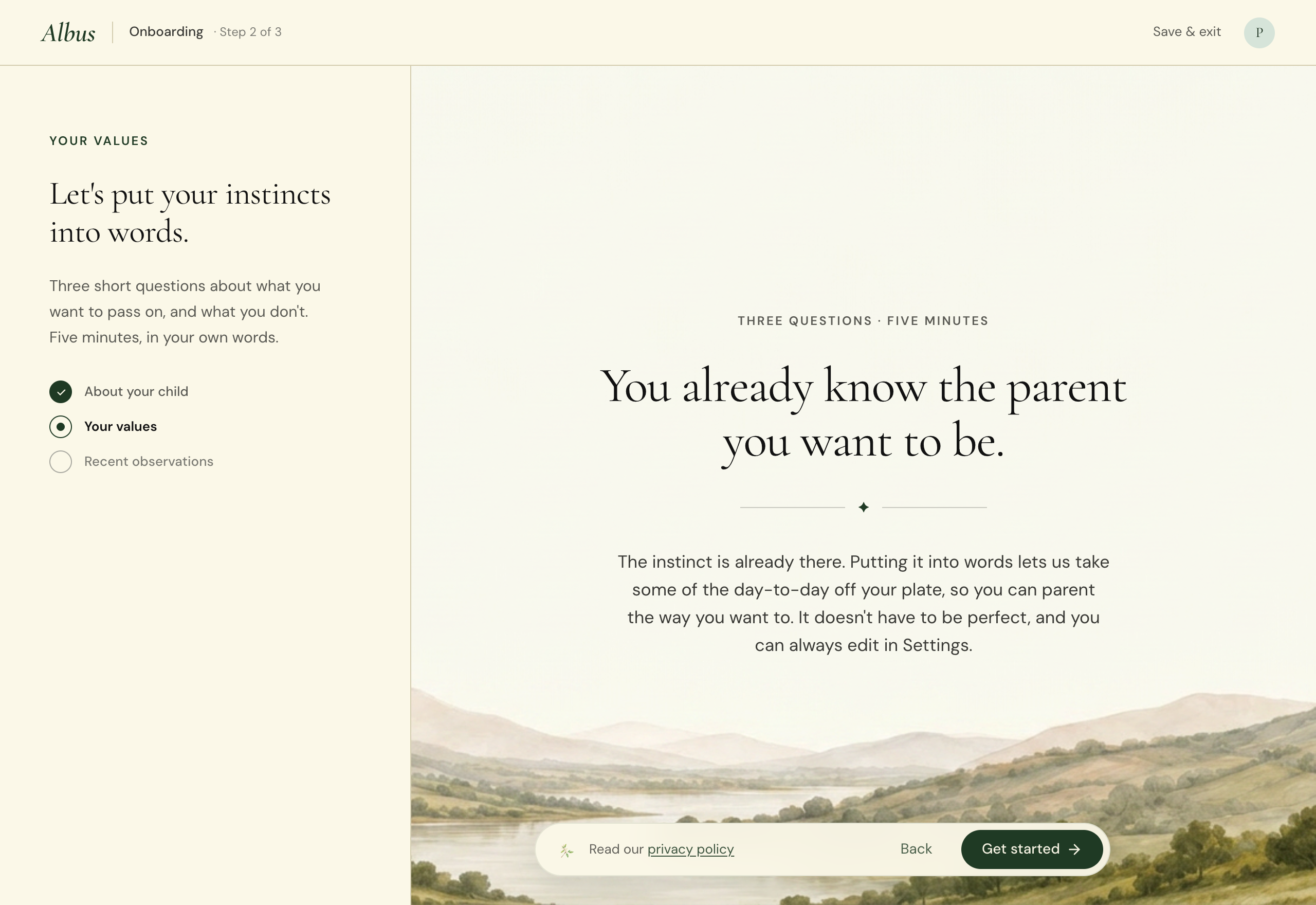
    The questions you answer when first setting up Albus have been rewritten. The phrasing is simpler, the examples from other families feel more grounded, and the opening screen now starts from the instinct you already have as a parent.

    The Albus values intro screen showing the headline "You already know the parent you want to be" and a short paragraph inviting the parent to share their values in their own words
    A setup flow that starts where you are.

  13. The 'things to know now' section now anticipates what's coming for your child

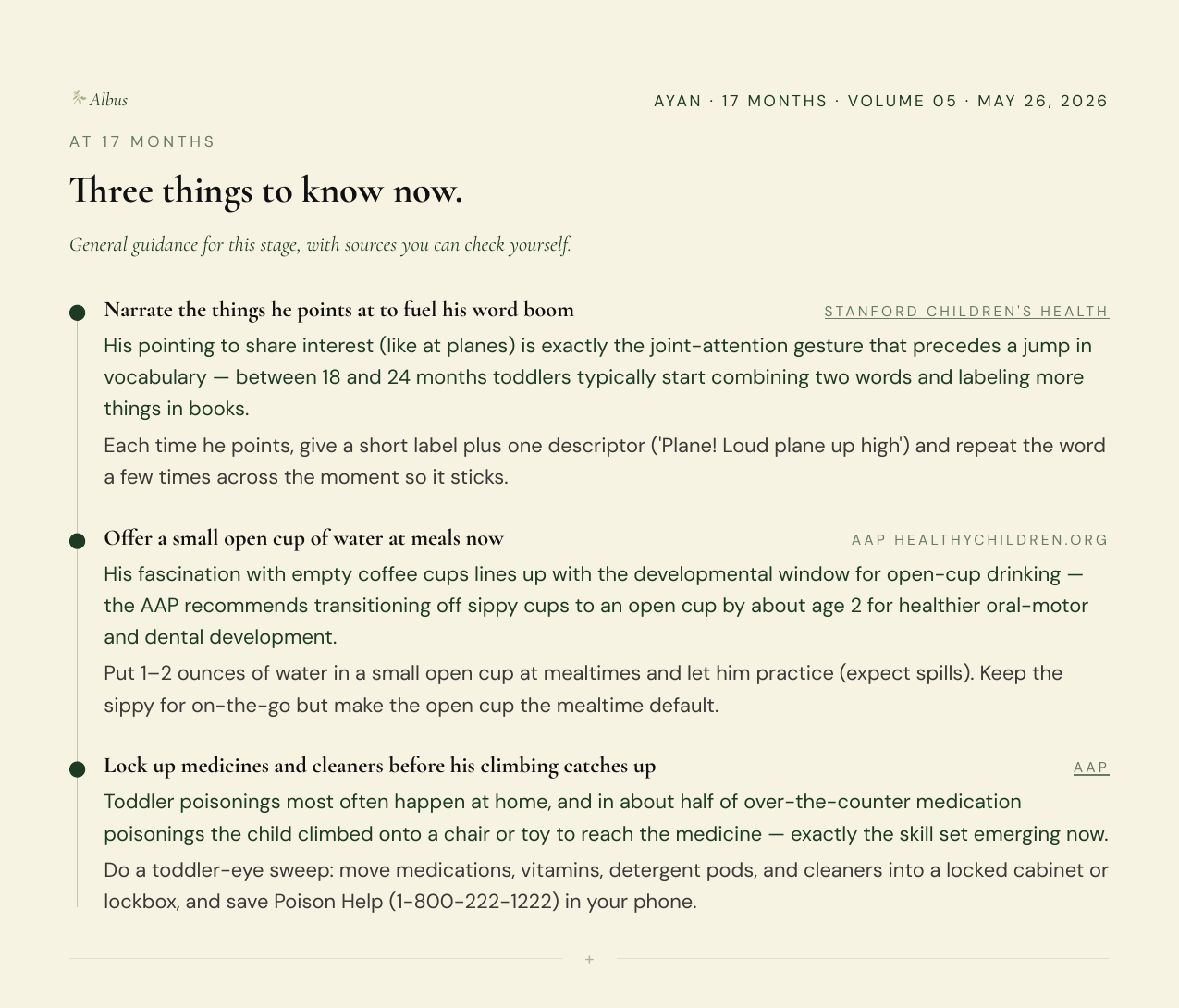
    Instead of generic, age-based guidance, the 'At [your child's age] months' section of your report now bakes in the observations you've shared to surface what's worth anticipating next. Each item is grounded in research, so the things that matter to get ahead of don't catch you by surprise.

    The 'At 17 months, three things to know now' section of a report, each item citing a trusted source
    Each item draws on what you've told us about your child.

  14. A 'what's next' email 24 hours after your first report

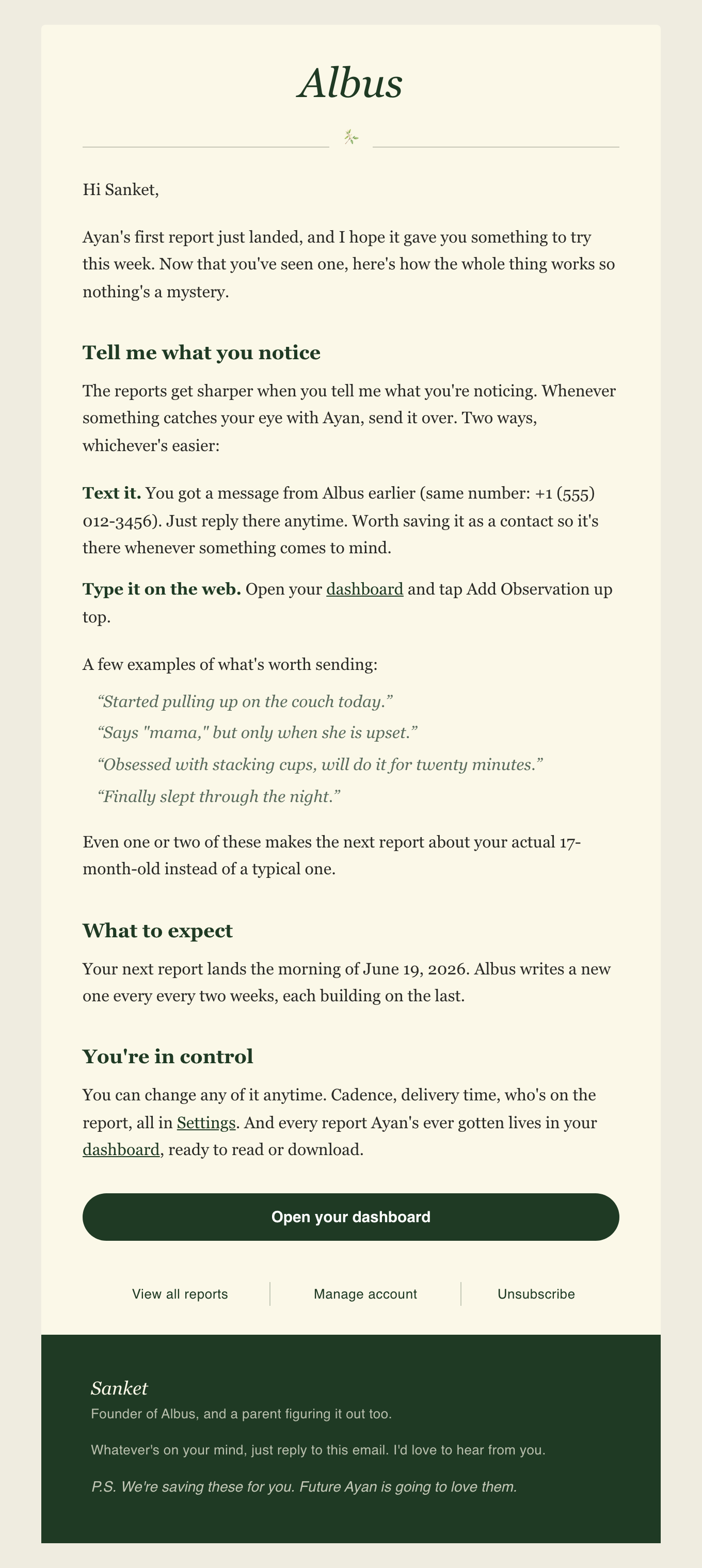
    About 24 hours after your first report arrives, you'll get a short email that outlines what's next: how to send observations by text or on the web, when your next report is coming, and where to find your past reports and settings.

    A welcome email from Albus after the first report, explaining how to send observations, when the next report comes, and how to manage your account
    A quick orientation that arrives the day after your first report.

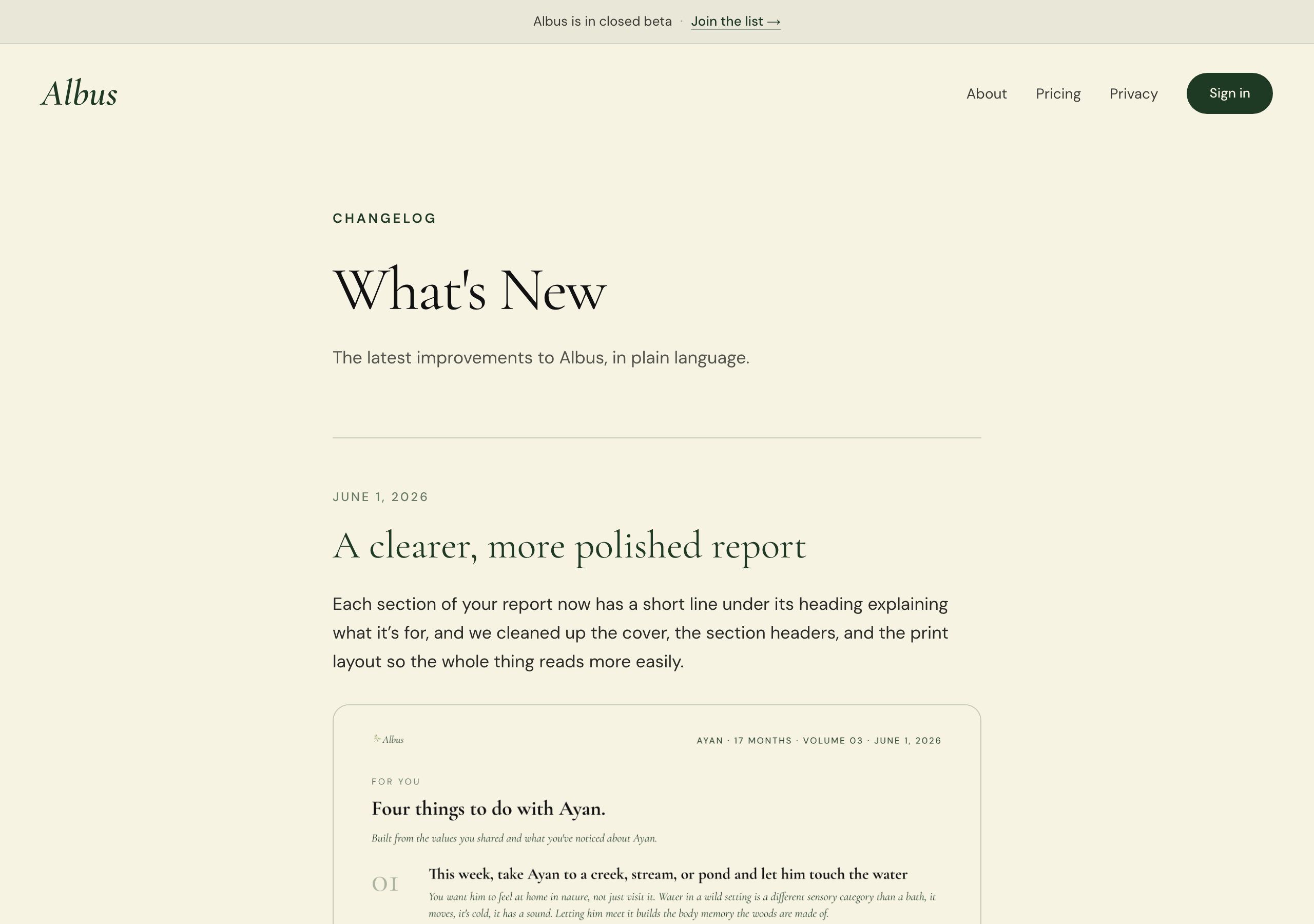
  15. See what's new in Albus

    There's now a What's New page where you can read about everything that's been added or improved. Find it at /changelog or via the link in the navigation.

    The What's New page showing a reverse-chronological list of recent improvements to Albus
    A running log of what's been updated.
    See what's new

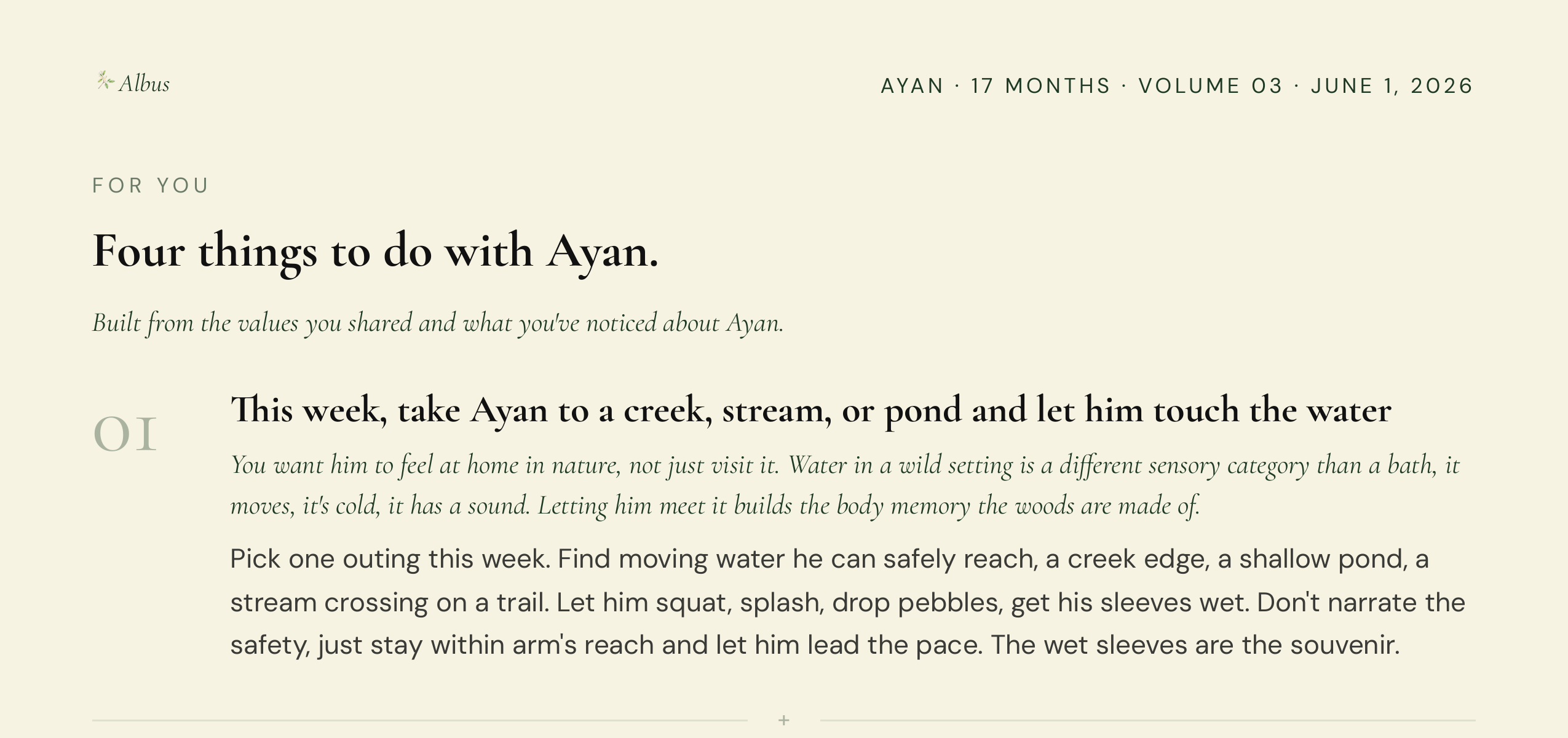
  16. A clearer, more polished report

    Each section of your report now has a short line under its heading explaining what it’s for, and we cleaned up the cover, the section headers, and the print layout so the whole thing reads more easily.

    A report’s For You section with a line under the heading explaining what it is
    Each section now explains what it’s for.

  17. A simpler way to reach me

    Every email from Albus now comes straight to my inbox. Just reply to any of them, or write help@helloalbus.com.


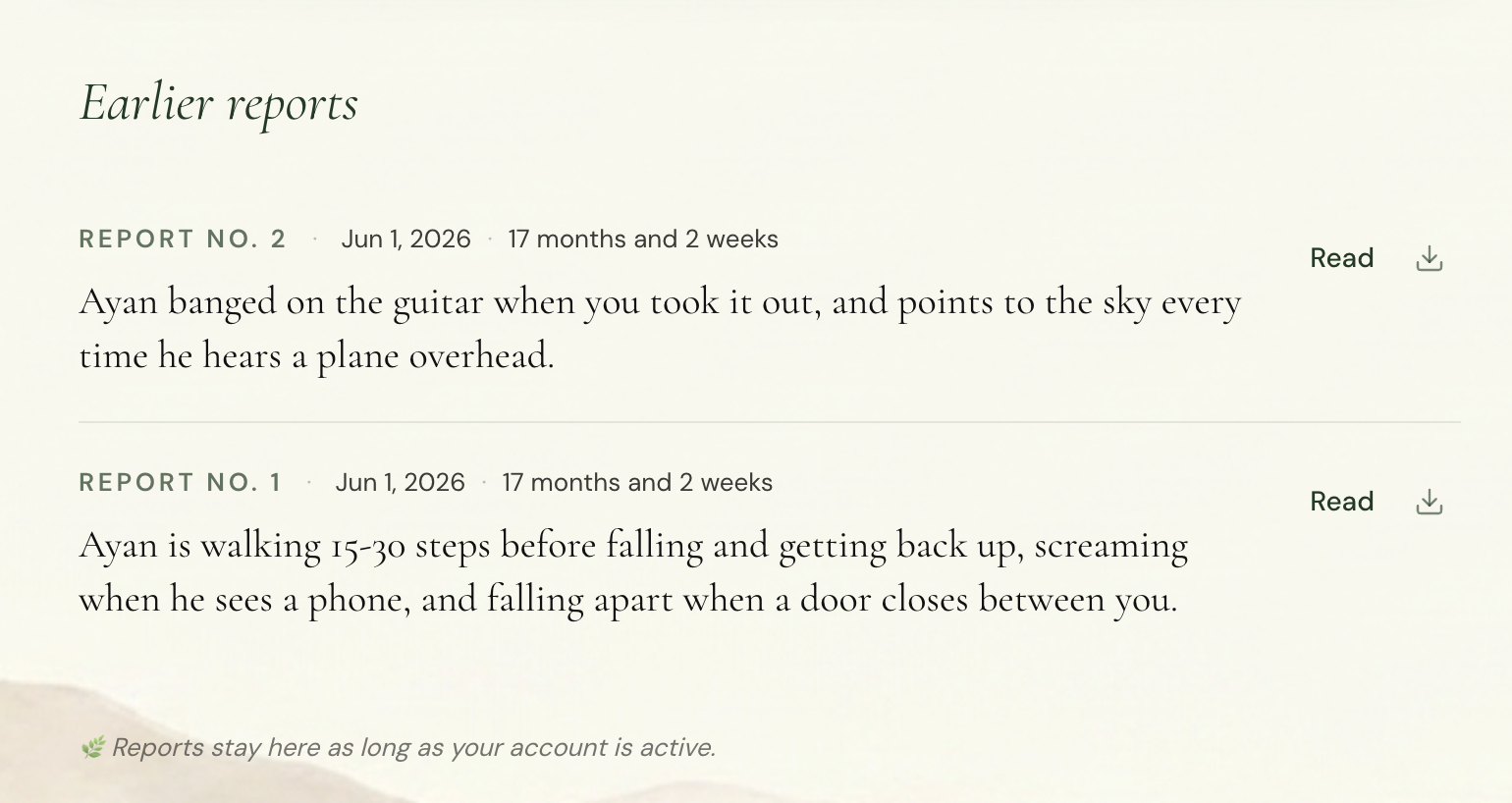
  18. Find and revisit all your past reports in one place

    Your reports page now lists every report you’ve received, with the date and your child’s age, so you can look back anytime.

    The reports page listing past reports with their dates and the child’s age
    Your full report history.
    See your reports

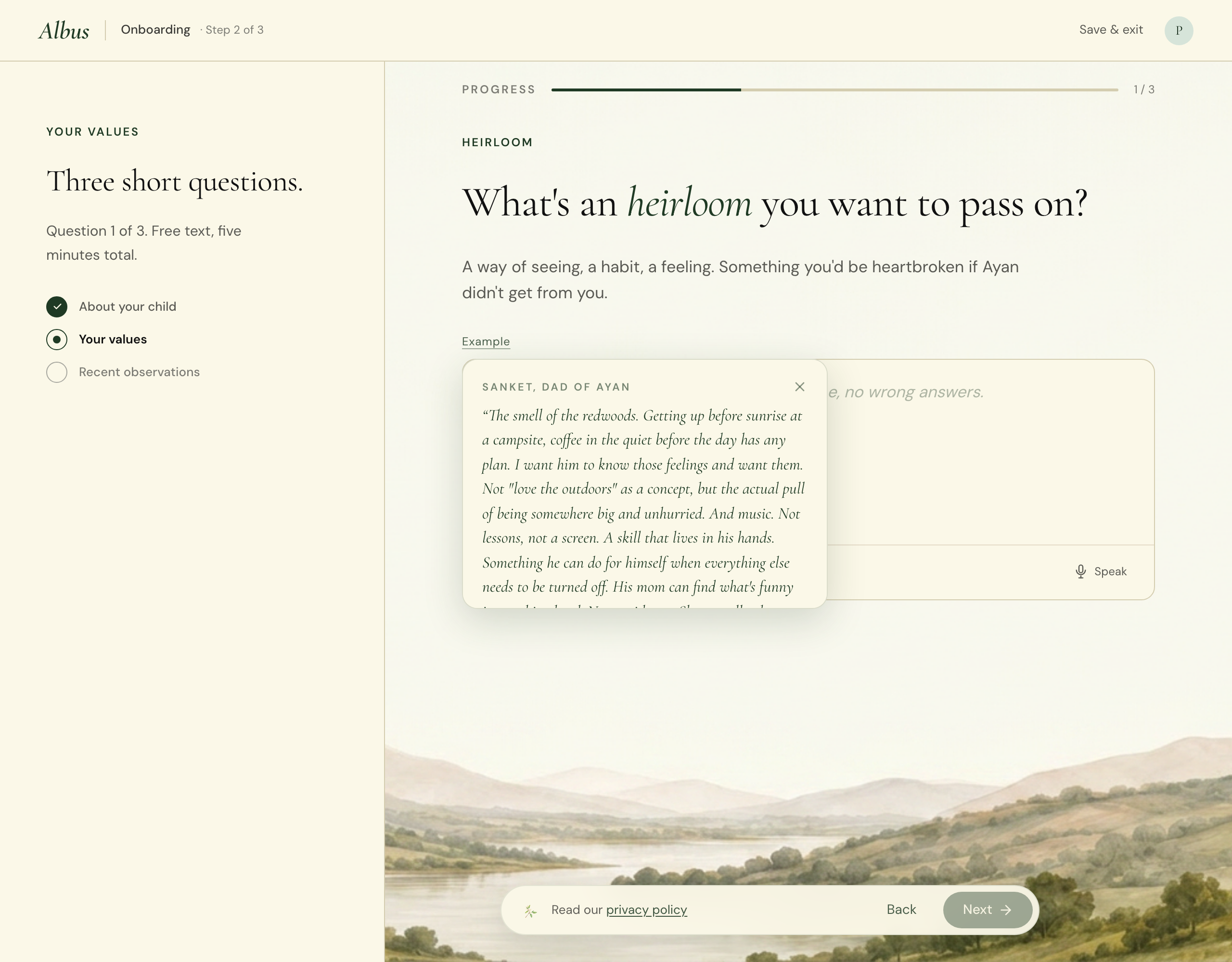
  19. A smoother setup

    Setting up Albus is quicker and clearer: the questions now show examples to help you answer, one step is optional, and going back keeps everything you’ve already written.

    An onboarding question showing an example answer
    Examples to help you answer.